
How to get all Azure DevOps organizations in your AzureAD directory using PowerShell

I was in a situation where I needed to audit some DevOps-related data. What was my surprise when I realized that there is no programmatic way to get all existing Azure DevOps organizations (at least uncle Google didn't offer me any).
Sure you can visit https://dev.azure.com/<yourOrganizationName>/_settings/organizationAad and download csv file with these information manually. 👇
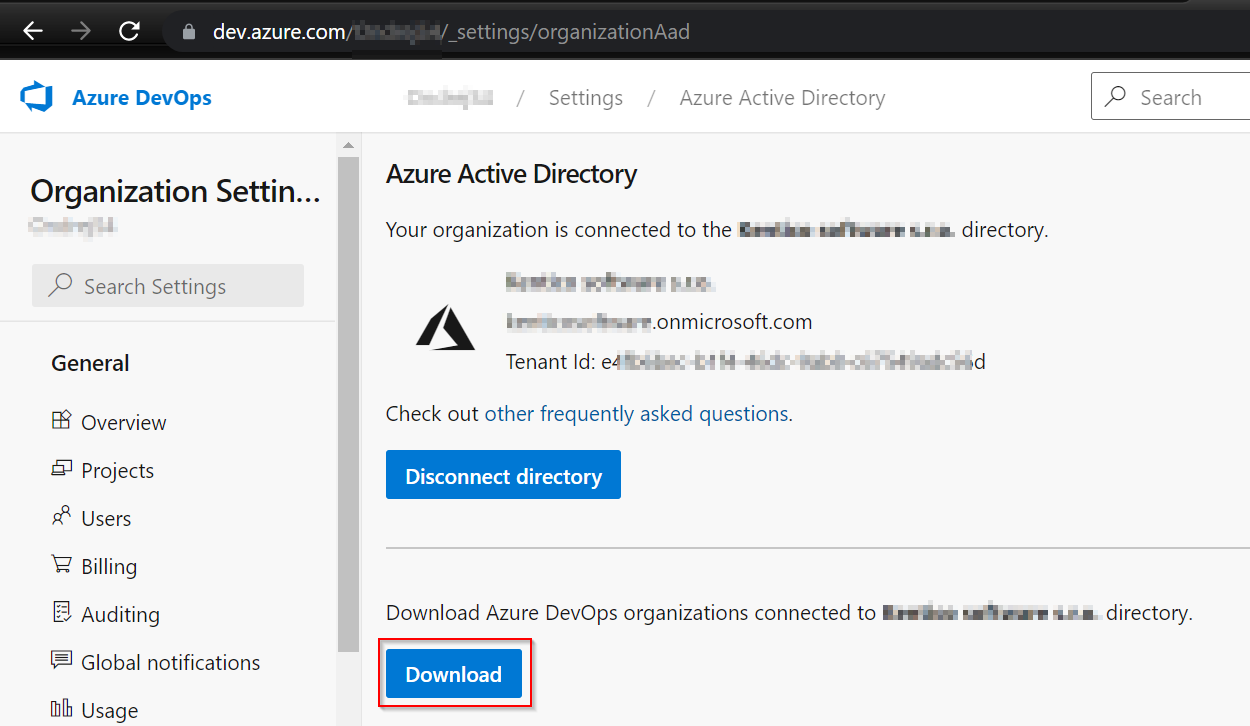
But I needed a programmatic way, so I have created the PowerShell function Get-AzureDevOpsOrganizationOverview.
How Get-AzureDevOpsOrganizationOverview function works
There are two main parts:
- Authentication to Azure DevOps
- Getting the data
Authenticate to Azure DevOps
It took me a while to realize that MSAL authentication is the way to go. I've found inspiration in the function GetCurrentContext (placed in ContextHelper.ps1) from a great auditing module AzSK.ADO.
For MSAL auth. I've used the MSAL.PS module's function Get-MsalToken.
So there is an obvious requirement and that is to have MSAL.PS module installed
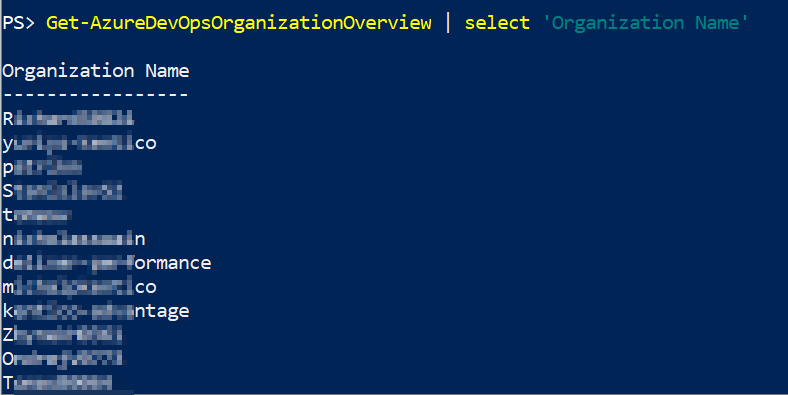
The result 👇

Get the DevOps organizations data
I've used Developer mode (F12) in the Chrome browser to get the URI 👇
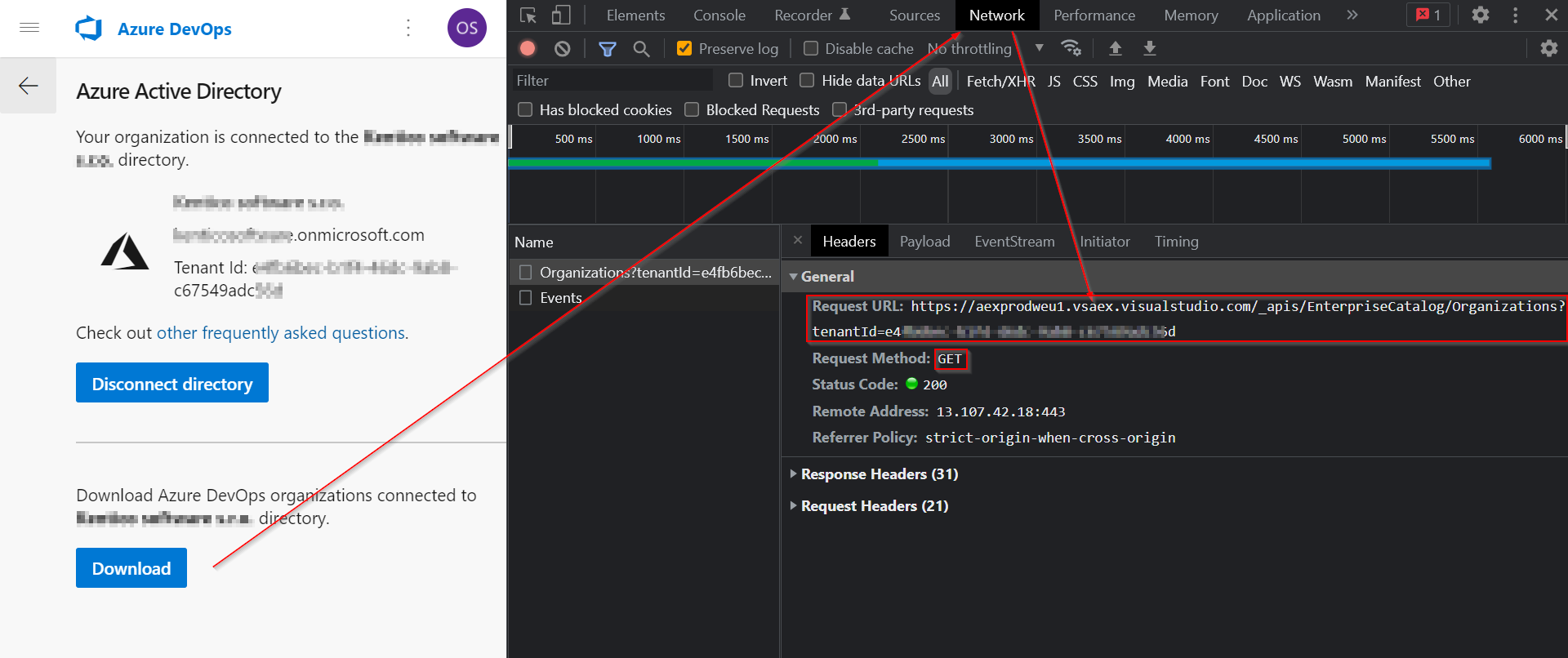
And then just used it in the Invoke-WebRequest like this 👇

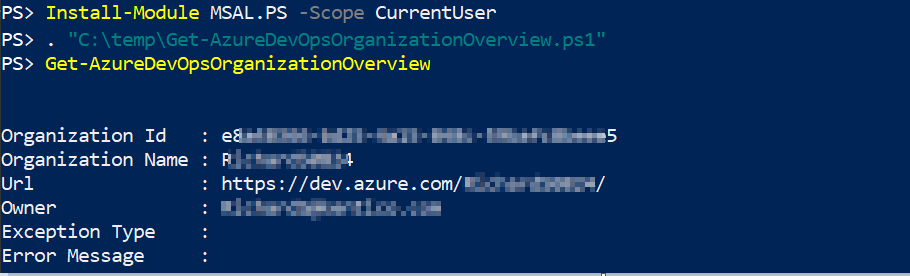
How to use it
- Download Get-AzureDevOpsOrganizationOverview
- Dot source
- Run
About the author
I work as System Administrator for more than 15 years now and I love to make my life easier by automating work & personal stuff via PowerShell (even silly things like food recipes list generation).
Comments
Join the discussionNo comments yet. Be the first to comment.


