

I've released a new PowerShell function called Compare-IntuneSecurityBaseline in my IntuneStuff module.
This function allows you to easily identify the differences in settings between two Intune Security baselines. For instance, when Microsoft introduces a new Security Baseline for Windows 10, you can quickly see how it varies from your currently deployed baseline.
How to use
Install-Module IntuneStuff

Connect-MgGraph -Scope DeviceManagementConfiguration.Read.All

Compare-IntuneSecurityBaseline
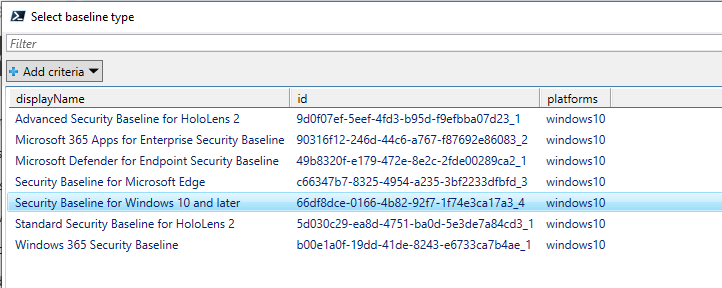
When you invoke Compare-IntuneSecurityBaseline, you will be interactively asked to select the baseline type.
And then select two baselines of such type to compare.
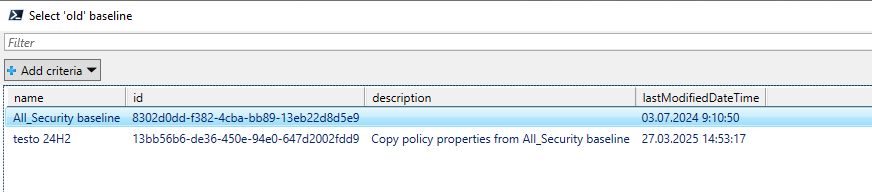
Function exports both baselines as JSON objects and makes the comparison.
The result will be objects that look like this 👇

What do the object columns contain
Result - type of change (whether the setting differs or is missing completely)
Setting - name of the setting as is in the exported JSON file
- JSON name doesn’t match the setting names in the Intune GUI. Use just one of the keywords when searching the GUI (for example when searching for
device_vendor_msft_policy_config_defender_submitsamplesconsentsearch the GUI for ‘samples’ or ‘consent’).
- JSON name doesn’t match the setting names in the Intune GUI. Use just one of the keywords when searching the GUI (for example when searching for
OldBslnValue - JSON value of the first baseline setting
NewBslnValue - JSON value of the second baseline setting
Summary
With the function Compare-IntuneSecurityBaseline in place, we can now easily compare our current baselines with their newly released versions. Such information can help to decide which settings need to be modified to avoid breaking our environment etc 🙂
About the author
I work as System Administrator for more than 15 years now and I love to make my life easier by automating work & personal stuff via PowerShell (even silly things like food recipes list generation).
Comments
Join the discussionNo comments yet. Be the first to comment.


