# Convert Intune MDMDiagReport.html to PowerShell object
[Part two of this series is available](
https://doitpsway.com/get-a-better-intune-policy-report-part-2)
[Part three (final) of this series is available and it is huge 😎!](https://doitpsway.com/get-a-better-intune-policy-report-part-3)
---
In our company, we are using Intune for device management for more than a year. For this whole time, when I was debugging some Intune policy on the client, I was missing tools like *gpresult* or *rsop* known from GPO world. The lack of such tools makes debugging a pain in the ass from my point of view.
Now I finally decided to create a PowerShell function(s) that will:
- gather local clients data (registry + logs + *MDMDiagReport.html* and *MDMDiagReport.xml* reports)
- gather policies deployed to device/user from Intune portal
- individual settings included
- merge both local and portal data together and return the result
- the resultant object should contain:
- name of the policy in Intune portal
- if the policy was processed and when
- last policy processing exit code
- ???
>
In case you know about any existing solution, please let me know to prevent reinventing the wheel :)
---
What I have so far is a function [ConvertFrom-MDMDiagReport](https://github.com/ztrhgf/useful_powershell_functions/blob/master/INTUNE/ConvertFrom-MDMDiagReport.ps1) for converting *MDMDiagReport.html* Intune report to PowerShell object.
When this function is being called:
- it tries to open "C:\Users\Public\Documents\MDMDiagnostics\MDMDiagReport.html"
- if *MDMDiagReport.html* doesn't exist, the function will call builtin *MdmDiagnosticsTool.exe* to create it
- HTML tables will be extracted and converted to PowerShell objects using my (improved) [_convertFromHTMLTable](https://doitpsway.com/how-to-createupdateread-html-table-on-confluence-wiki-page-using-powershell#get-content-of-html-table-and-convert-it-to-ps-object) function
- object with report tables as property names (with an underscore instead of spaces) and content of such tables as property values will be returned
>
Function _convertFromHTMLTable can be extracted and used for converting any HTML table from any HTML response object or local file.
---
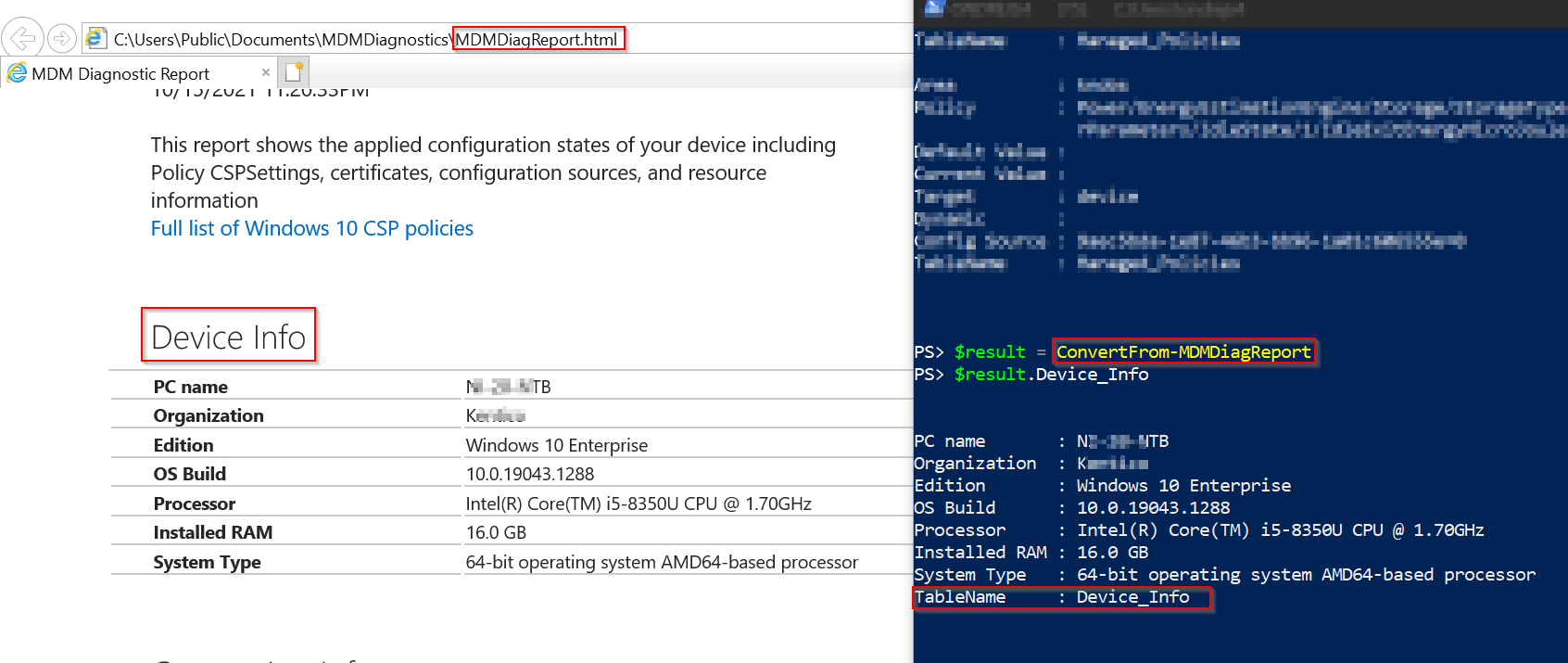
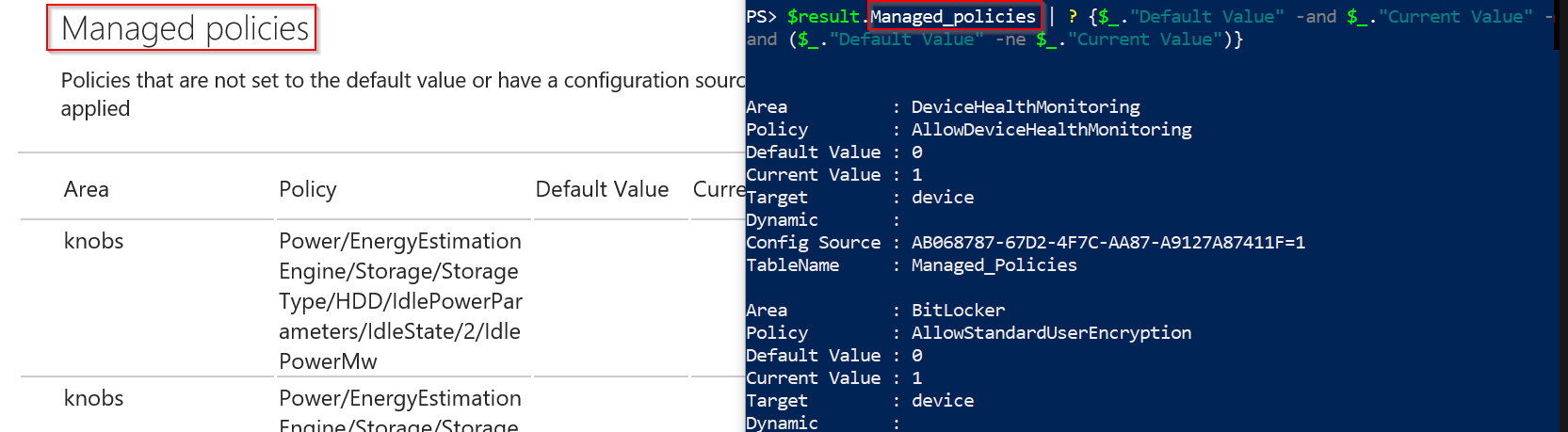
[ConvertFrom-MDMDiagReport](https://github.com/ztrhgf/useful_powershell_functions/blob/master/INTUNE/ConvertFrom-MDMDiagReport.ps1) results:
- How 'Device Info' table looks like converted:
- How some filtering over 'Managed policies' table looks like:
---
# Summary
The easiest part is done. Thanks to [ConvertFrom-MDMDiagReport](https://github.com/ztrhgf/useful_powershell_functions/blob/master/INTUNE/ConvertFrom-MDMDiagReport.ps1) I am able to programmatically access the content of the *MDMDiagReport.html* file.
Now I will probably look into *MDMDiagReport.xml* and [IntuneBackupAndRestore ](https://github.com/jseerden/IntuneBackupAndRestore) module to find links between Intune and client policies to be able to translate policies GUIDs to their names.
Stay tuned 👍
[Part two of this series is already available!](
https://doitpsway.com/get-a-better-intune-policy-report-part-2)